


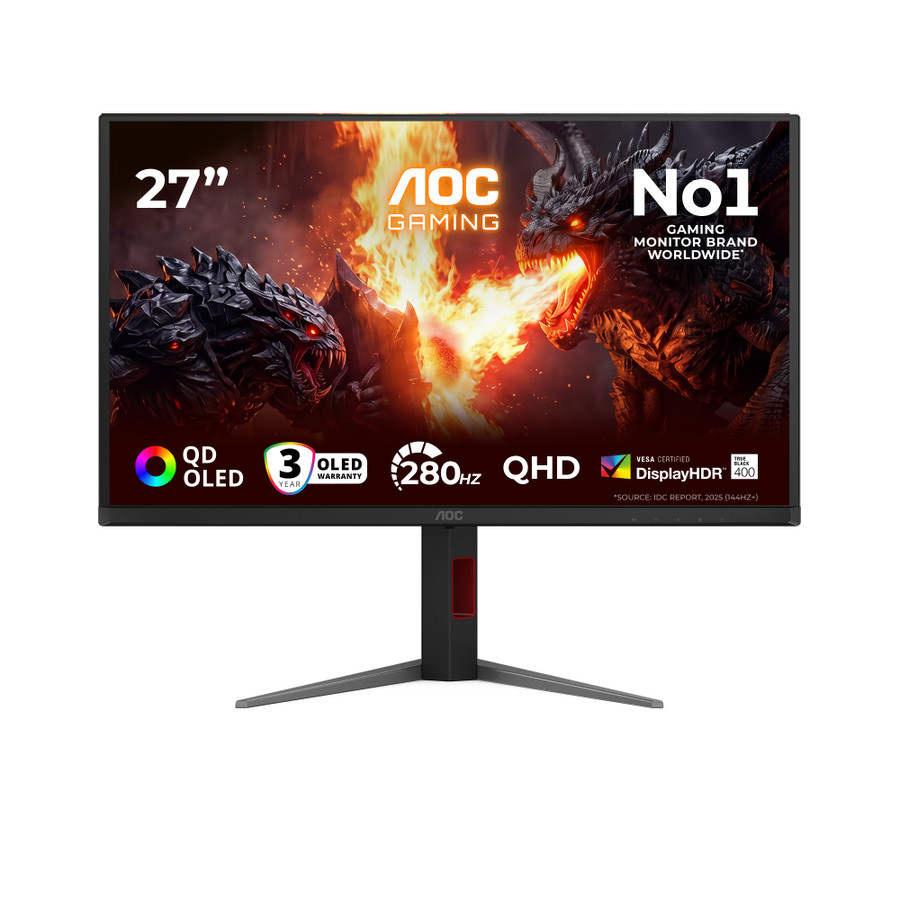
27-inch | QD-OLED | QHD | 280Hz
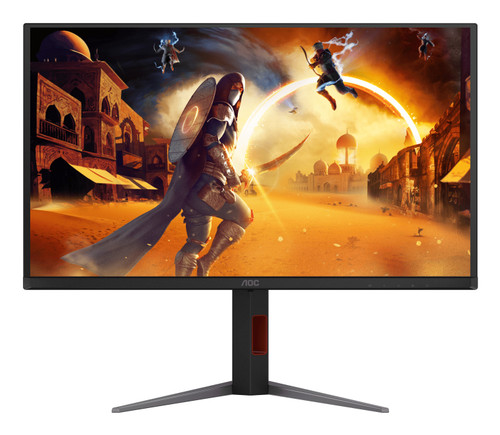
The AOC Q27G4ZD is a 27-inch QD-OLED QHD 280Hz monitor intended for PC gaming. This page describes the exact supplier-listed configuration for part number Q27G4ZD. Compare its display specification, connections and physical setup requirements with the computer and accessories you plan to use.
Key Features at a Glance
- 27-inch screen, QD-OLED, and QHD — Use the verified screen specification to compare physical size and usable detail. Set the native resolution and comfortable text scaling after connection.
- Up to 280Hz refresh — A higher supported refresh rate can make pointer movement and on-screen motion appear smoother. The computer must deliver a compatible signal.
- 0.03ms stated response time — The supplier-listed response figure is relevant to fast motion, but it does not guarantee a game frame rate or remove every source of system latency.
- Plan desktop audio separately — No built-in speakers are stated in the supplied specification. Use a headset or separate speakers when audio is required.
- OLED gaming display — Follow the manufacturer image-care instructions and allow its panel-care routines to run, particularly when the screen shows static interfaces for long periods.
Full Technical Specifications
| Brand | AOC |
|---|---|
| Model | Q27G4ZD |
| Manufacturer Part Number | Q27G4ZD |
| Screen Size | 27 inches |
| Screen Type | QD-OLED |
| Monitor Type | Flat |
| Resolution | 2560 x 1440 and (QHD) |
| Aspect Ratio | 16:9 |
| Monitor Hertz | Up to 280Hz |
| Response Time | 0.03ms |
| HDR | HDR 400 |
| Built-in Speakers | No stated built-in speakers |
Who Is AOC Q27G4ZD Best Suited For?
PC gamers
This configuration suits PC gaming. Consider the applications you keep open, the computer outputs available and whether the desk needs charging, peripherals, audio or conferencing equipment. Those requirements determine which listed features will be useful.
Choose the Right Monitor and Connection
Start with the computer video outputs and any dock or adapter between the computer and monitor. The full connection must support the resolution and refresh rate you intend to use. Measure the available desk space and leave room for the stand, plugs, cable movement and the viewing distance needed for the chosen screen size. After installation, select the native resolution, choose a supported refresh rate and adjust operating-system scaling so text remains comfortable. For gaming, compare the native resolution and refresh target with the performance your graphics hardware can sustain in the games and settings you use.
Why Choose AOC Q27G4ZD?
Choose the AOC Q27G4ZD when its QHD resolution, 280Hz refresh, and QD-OLED matches the way the computer and desk will be used. Compare this part number with related models because port, stand, panel and power specifications can change within the same product family.
Buy AOC Q27G4ZD at Tech2UDirect
Compare the listed specification with your computer and accessories before ordering. Review the current price and availability on the product page. Contact Tech2UDirect with the exact model number if you need help matching the monitor to your setup.
- Brand:
- AOC
- Screen Size:
- 27"
- Resolution:
- 2560x1440
- Monitor Hertz:
- 280Hz