


27-inch IPS | FHD | 120Hz
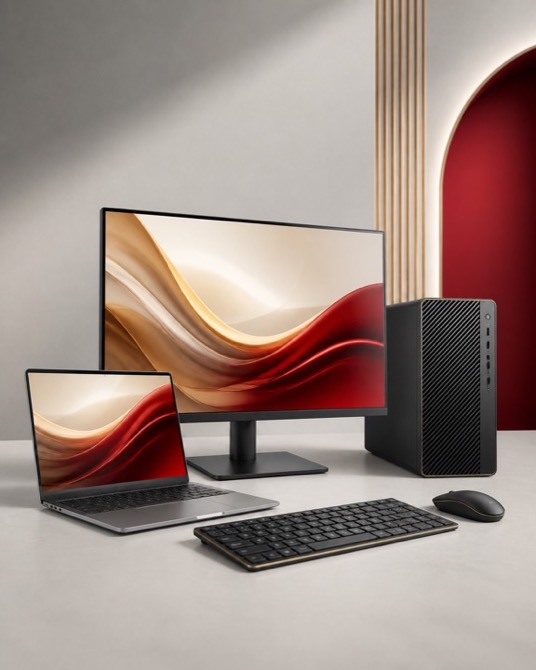
The Dahua LM27-A221Y (DHI-LM27-A221Y) pairs a 27-inch IPS screen with FHD resolution for everyday office and home-office work. A dedicated monitor gives applications room beyond a notebook screen, with space to position the keyboard and display around your working posture. Match the exact part number and connection requirements to your equipment before selecting a cable or accessory.
Key Features at a Glance
- FHD workspace — Arrange your main task and reference material at a readable scale. Pixel count and physical screen size affect different aspects of the viewing experience.
- Up to 120Hz refresh — Select an available display mode in your operating system after connecting. The graphics hardware, cable and any adapter can affect the modes you can use.
- Adjustable viewing position — Use the listed stand adjustment to set a comfortable viewing angle, leaving clearance for cables and the working area in front of the screen.
- Listed video inputs — Choose an input that matches your computer output. Confirm any adapter supports the native resolution and intended refresh rate.
- Desktop audio — Plan a headset or separate speakers if your work includes calls, media or other audio.
Full Technical Specifications
| Brand | Dahua |
|---|---|
| Model | LM27-A221Y |
| Manufacturer Part Number | DHI-LM27-A221Y |
| Screen Size | 27 inches |
| Screen Type | IPS |
| Monitor Type | Flat |
| Resolution | 1920 x 1080 (FHD) |
| Aspect Ratio | 16:9 |
| Monitor Hertz | Up to 120Hz |
| Connections | HDMI 1.4; VGA |
| Built-in Speakers | No |
| Stand Adjustment | Tilt -5 to +20 degrees |
| Brightness (typical) | 250 cd/m2 |
| Contrast (typical) | 1200:1 |
| Colour Gamut | 72% NTSC |
| Response Time | 5ms overdrive; 1ms MPRT |
| Weight (kg) | 3.4 |
| VESA Mount (mm) | 100 x 100 |
| Overclock Mode | Up to 144Hz through HDMI |
| Rated Operation | 16 hours per day, 7 days per week |
| Warranty | Dahua 3-year manufacturer warranty; applicable terms apply. |
Who Is Dahua LM27-A221Y Best Suited For?
Office and home users
This configuration suits everyday office and home-office work. Consider the applications you use most, how often you move between locations and the peripherals you need connected. Those decisions help distinguish useful features from options that your setup will not use.
Choose the Right Connection and Setup
Start with the computer outputs and any docking station between the computer and display. Check the complete connection supports the resolution and refresh rate you want; an adapter can become the limiting component even when the monitor itself supports a higher mode. Measure your available space and allow room for plugs, cable movement and the keyboard. Once connected, set the native resolution, choose readable text scaling and test your preferred meeting and audio equipment.
Why Choose Dahua LM27-A221Y?
The LM27-A221Y suits buyers prioritising everyday office and home-office work. Compare its listed connections and adjustment options with what you already own, then decide which features will be useful in everyday use. Think about the balance between the space available on your desk and the amount of information you want to keep visible. Products in the same family can have different ports, stands and power capabilities, so use the exact SKU when comparing alternatives.
Buy Dahua LM27-A221Y at Tech2UDirect
Compare the listed specification with your computer and accessories before ordering. Check current pricing, stock and delivery options on the product page. Contact Tech2UDirect with the exact model number if you need help matching the monitor to your setup.
- Screen Size:
- 27"
- Built-in Speaker:
- No
- Monitor Type:
- Flat