


27-inch IPS | FHD | 100Hz | HDMI, DisplayPort and VGA
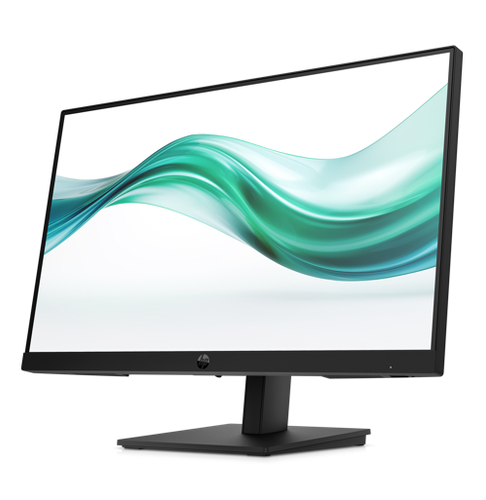
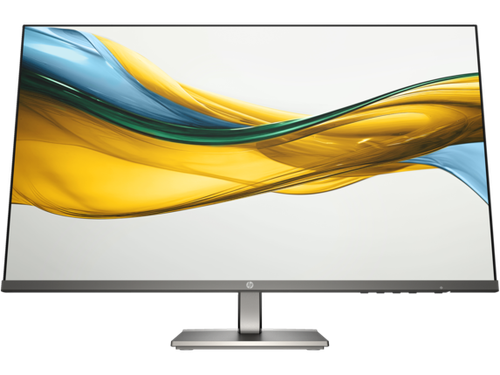
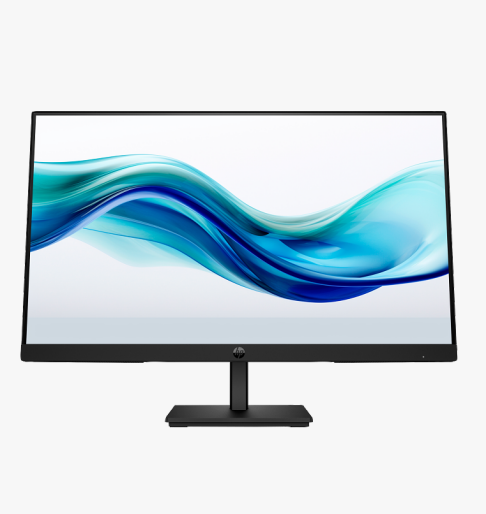
The HP Series 3 Pro 327pf (B0CG3UT) is a 27-inch FHD IPS monitor for a straightforward office or home-office desktop. Its dedicated desktop screen gives documents, browser windows and business applications room away from a small notebook display. The 100Hz maximum refresh rate and HDMI, DisplayPort and VGA connectivity identify this exact configuration. Match the panel, inputs and stand to your computer before choosing accessories.
Key Features at a Glance
- 27-inch FHD workspace — Full HD suits routine documents, email and browser applications. Consider your viewing distance when comparing screen sizes.
- Up to 100Hz refresh — Select a supported display mode in the operating system. Host graphics, cables and adapters determine which modes are available.
- Screen positioning — The tilt-adjustable stand lets you angle the display for your seated position.
- Connections for your computer — Check the listed inputs against the computer and any adapter before ordering. The shape of a connector alone does not establish compatibility.
Full Technical Specifications
| Brand | HP |
|---|---|
| Model | 327pf |
| Manufacturer Part Number | B0CG3UT |
| Screen Size | 27 inches |
| Screen Type | IPS |
| Monitor Type | Flat |
| Resolution | 1920 x 1080 (FHD) |
| Aspect Ratio | 16:9 |
| Monitor Hertz | Up to 100Hz; VGA Full HD up to 60Hz |
| Brightness (typical) | 250 cd/m² |
| Contrast (typical) | 1000:1 |
| Colour Gamut | 72% NTSC |
| Response Time | 5ms GtG with overdrive |
| Connections | HDMI 1.4; DisplayPort 1.2; VGA |
| Built-in Speakers | No |
| Camera | No integrated camera |
| Stand Adjustment | Tilt -5 to +20 degrees |
| Warranty | HP three-year limited manufacturer warranty, subject to HP terms and regional eligibility. |
| VESA Mount | 100 x 100 mm |
| Weight | 5.05 kg with stand |
Who Is HP 327pf Best Suited For?
Office and home-office users
This configuration suits a straightforward office or home-office desktop. Think about the applications you keep open, how often you join calls and whether the same computer stays at the desk. Those decisions help determine whether this panel and connection set match your needs.
Choose the Right Connection and Desk Setup
Start with the video output on your computer and choose a matching input on the monitor. If an adapter is needed, check its supported resolution and refresh rate as well as the connector types. Plan a separate webcam for meetings. Use a headset or external speakers when audio is required. Measure the desk and allow clearance behind the display for plugs and cable routing. Set native resolution after installation, choose a comfortable text scale and position frequently used windows within easy view.
Why Choose HP 327pf?
Choose the 327pf when your daily work centres on a straightforward office or home-office desktop. Its listed stand adjustments and input selection make the practical fit easy to compare against your current desk. Check the exact model and manufacturer part number when comparing alternatives in the same series.
Buy HP 327pf at Tech2UDirect
Compare the listed specification with your computer and accessories before ordering. Check current pricing, stock and delivery options on the product page. Contact Tech2UDirect with the model number if you need help matching the display to your setup.
- Screen Size:
- 27"
- Built-in Speaker:
- No
- Resolution:
- 1920x1080
- Monitor Type:
- Flat
- Monitor Hertz:
- 100Hz
- Brand:
- HP